Back to the RAOK Tutorials Page.
Back to the main RAOK page.
Uploading a Photo to a Friend's Wall
With friends, one often has the option of uploading an image (photo) to their wall. This procedure is a bit more complicated than it seems since you must have the image ready to go on either your hard drive or on a flash drive or CD. If you are using either a flash drive or CD, make sure they are inserted in the proper port or drive. If you are using your hard drive, make sure you know the folder where your images reside. Smaller images (300*300 pixels or smaller) work best for wall posting.
Here's how to post a photo...
- On your friend's profile, click the link that says Post Photo that lies directly over your friend's
wall.

- Next click the button that says Browse. This will help you find the photo to upload. No, you won't be able
to preview it. I have a friend who is celebrating Valentine's Day in December, but I did upload a very lovely graphic to her wall.
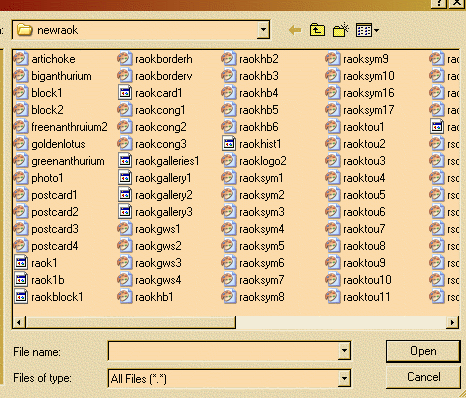
- Use the scroll bar at the bottom of the big pop up square to find the drive and/or folder that holds your graphics. Here
is the square displaying the folder on my hard drive where I keep graphics for RAOK.
- Now, write a few kind words to go with your image. You can use stock phrases. Don't worry that you do not
see the photo/image. There is no preview. You will just have to get used to working blind.

- Now click the button marked Post to put your photo/image and message on your friend's wall. Below
is an example of a completed post with an image.

Back to the top of the page..